
Choosing a frontend: React or Angular
NetForge ships one ASP.NET Core backend with a choice of two first-class frontends. Both are held to the same quality bar — designed loading/empty/error states, full light/dark parity, mobile layouts, i18n + RTL — and both are fully tier-aware: Community and Pro strip or keep exactly the same subsystems from either client.
| React (default) | Angular | |
|---|---|---|
| Framework | React 19 | Angular 22 |
| Tooling | Vite 8 · TypeScript 6 | Angular CLI · TypeScript |
| UI system | Tailwind v4 + shadcn/ui | Angular Material (Material Design 3) |
| Routing | File-system routes (generouted) | Angular Router |
| Data / state | TanStack Query · Zustand | Signals · resource() · services |
| Forms | React Hook Form + Zod | Reactive Forms |
| Charts | Recharts | ngx-charts / Material |
The backend, database, auth, permissions, settings, and every Pro subsystem are identical either way — only the client project differs. Try them side by side: the React demo and the Angular demo run the same backend.
The same dashboard — same backend, same data, same feature set — rendered by each client:
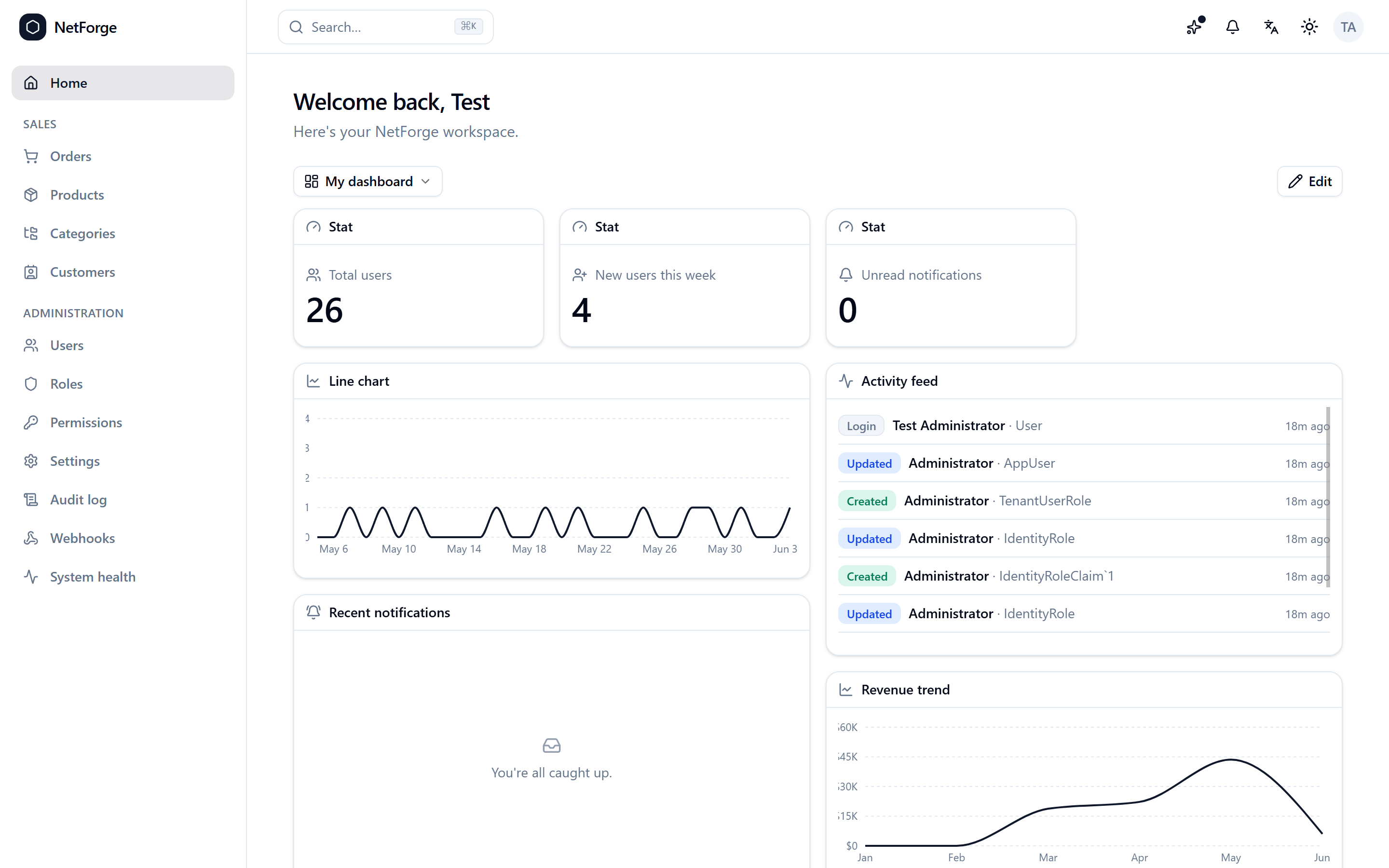
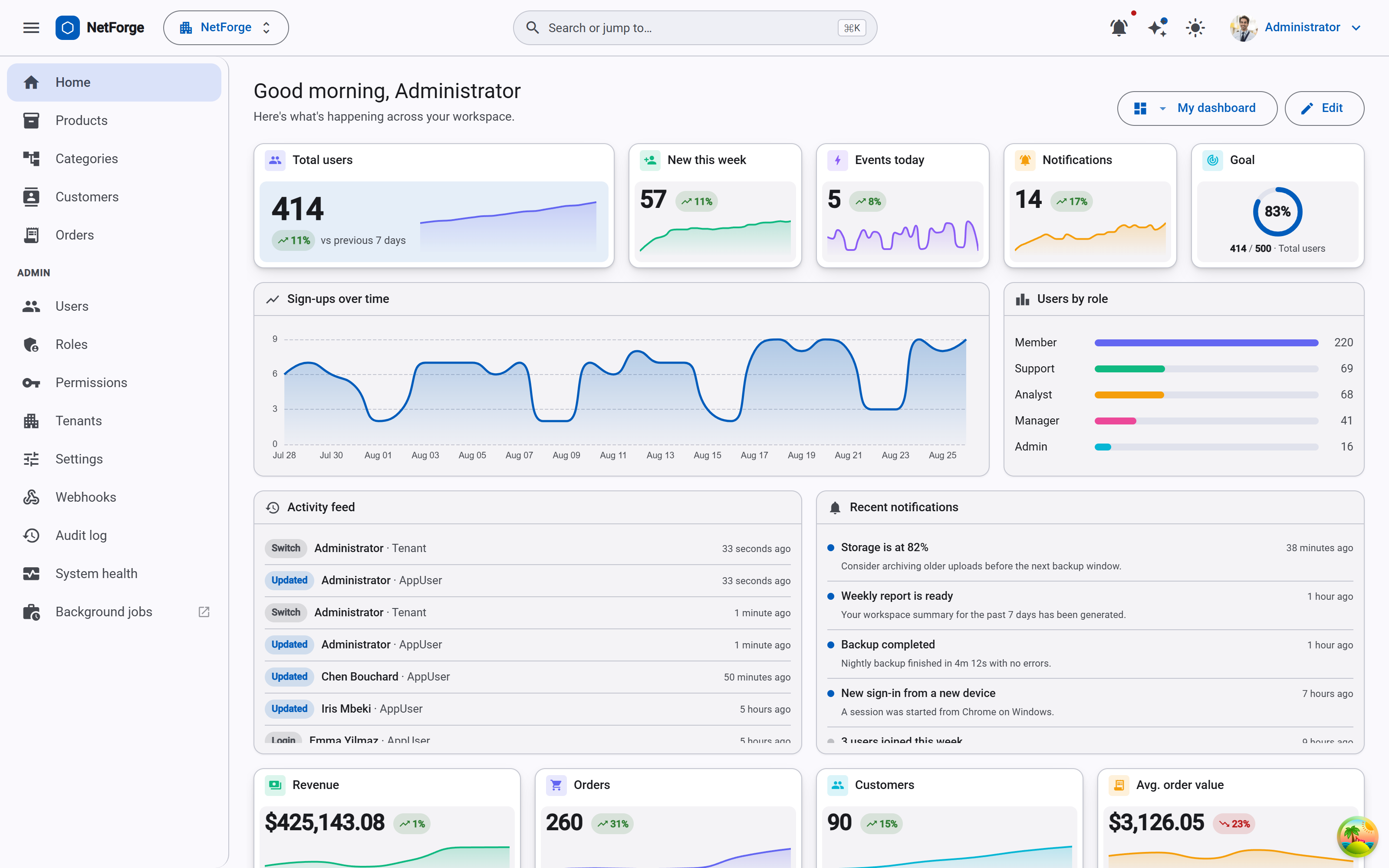
Picking a frontend at scaffold time
The frontend is a single flag — --frontend react (the default) or --frontend angular:
netforge new # the wizard asks "Frontend? React / Angular"dotnet new netforge -n MyApp --frontend angular# VS Code / Visual Studio → "New NetForge Project" → pick React or AngularIn the web configurator it's a toggle at the top of the build form. The choice is available in both editions — there's no "Angular is Pro" gate.
What differs in the generated app
- The client project —
netforge.client(React) ornetforge.angular.client(Angular). Only the one you picked is scaffolded. - Dev server —
dotnet runlaunches the client for you via SpaProxy: Vite onhttps://localhost:3000for React, the Angular CLI onhttps://localhost:4200for Angular. Browse the app URL either way. - Production serving — React ships a single runtime-i18n bundle served as static assets. Angular's i18n is compile-time (one build per locale), so
dotnet publishbuilds every locale and serves/{locale}/…path-based; the bare root redirects to the visitor'sAccept-Languagematch.
Everything else — the vertical-slice backend, the Features/{Domain}/ shape, permissions, the DataGrid and form layers, theming, i18n keys — is shared. A feature you add on the backend is consumed the same way from either client.
Angular conventions
Working in the Angular client? Its own agent guide lives at netforge.angular.client/.claude/CLAUDE.md, and the same design-system rules apply — push Material 3 to its best via --mat-sys-* tokens rather than fighting it.
Next steps
- Quick start — run it in one command.
- Community vs Pro — what each edition includes (both frontends, either edition).
- Theming, i18n & RTL — the design system, shared across both clients.