
Theming, i18n & RTL
NetForge looks intentional in both themes and every language out of the box — including full right-to-left support.
Theming
Light / dark / system, toggled from the top bar. Every screen is verified for parity in both themes, and color-scheme keeps native controls (selects, scrollbars) on-theme. Brand colors are CSS variables (Tailwind v4 + shadcn/ui tokens), so re-skinning is a token change rather than a sweep through components.
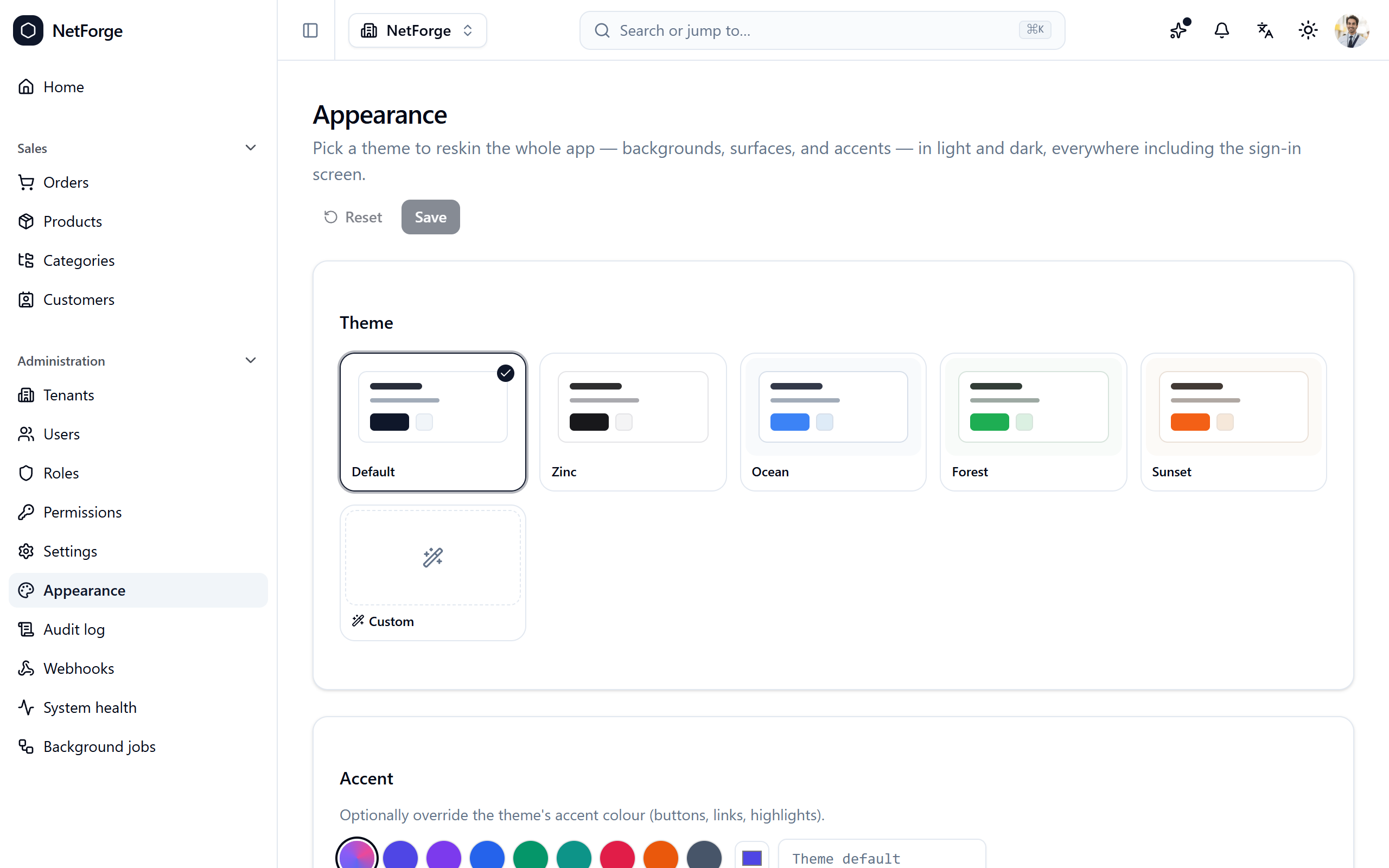
The starting theme and accent are baked in at scaffold time (--brandTheme / --brandColor). In Pro, a runtime appearance customizer at /admin/appearance lets admins re-theme the app live and pick from curated palettes.
Internationalization
The UI ships in six languages — English, Spanish, French, German, Arabic, and Chinese — switchable from the top bar or profile preferences. A user's language is saved to their account and follows them across devices, and switching applies immediately.
Right-to-left
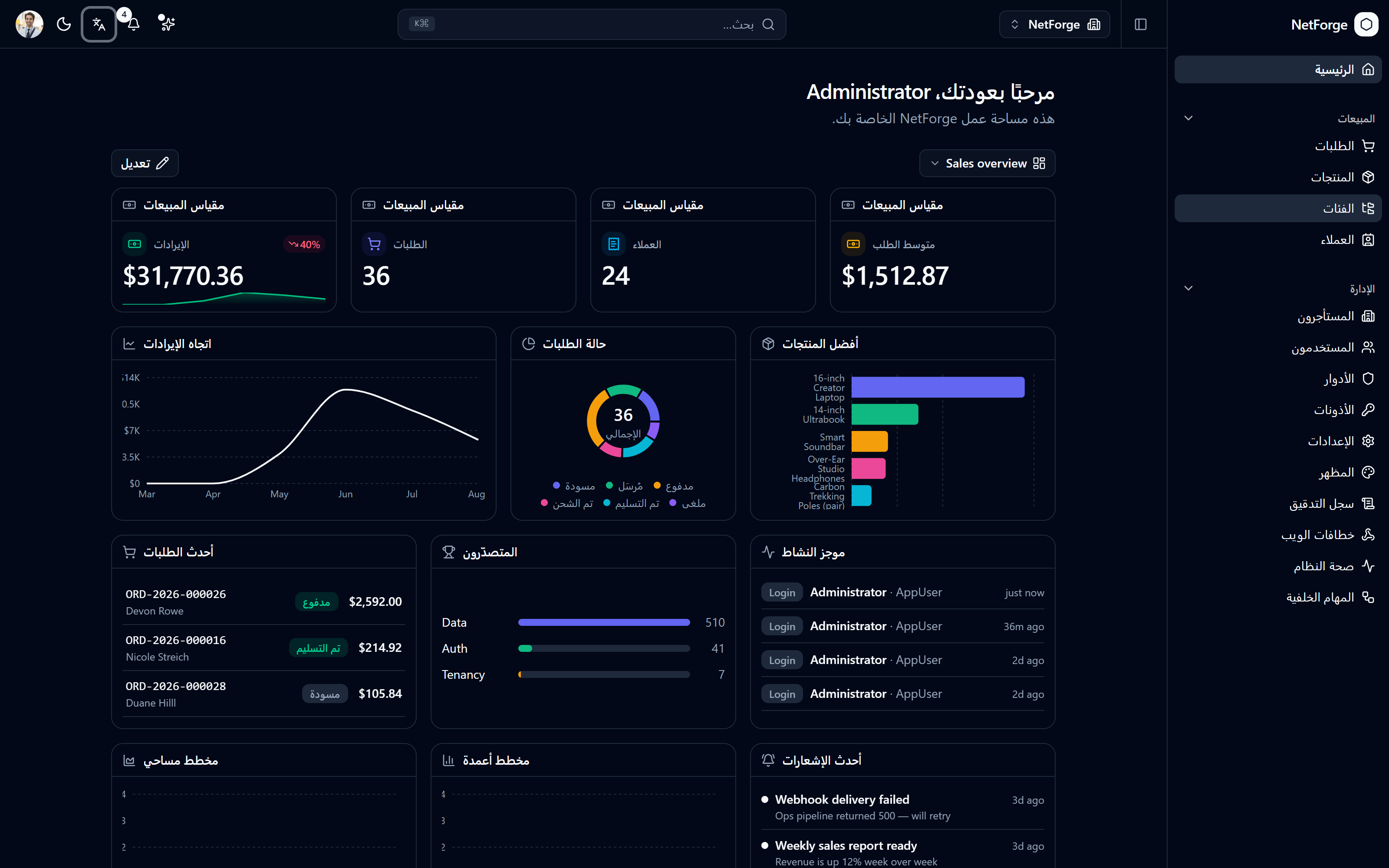
Arabic mirrors the entire layout right-to-left automatically. This works because the codebase uses logical CSS properties throughout (ms-/me-/ps-/pe- instead of ml-/mr-/pl-/pr-), so the shell, spacing, and components flip without a separate RTL stylesheet or a maintained RTL component list.
Adding a language
Adding a locale is one JSON file plus one entry in i18n.config.ts (and a matching backend resource file). Set dir: 'rtl' for a right-to-left script and the shell mirrors automatically. The step-by-step is in Add a language.