
Audit & activity
Every create, update, and delete — plus security events like sign-in and sign-out — is recorded automatically, off the request path, and read back through a filterable log and per-record timelines.
The audit log
Admins with the audit.read permission get an Audit log at /admin/audit. Filter by who (the actor), category, action, or entity type, and a date range; search and sort. Click any entry to open a detail panel showing who did what and when (with IP and trace id tucked away) and a field-level before/after diff — old values struck through in red, new values in green.
Sensitive fields (passwords, security stamps) are redacted at capture and never stored.
Per-record history
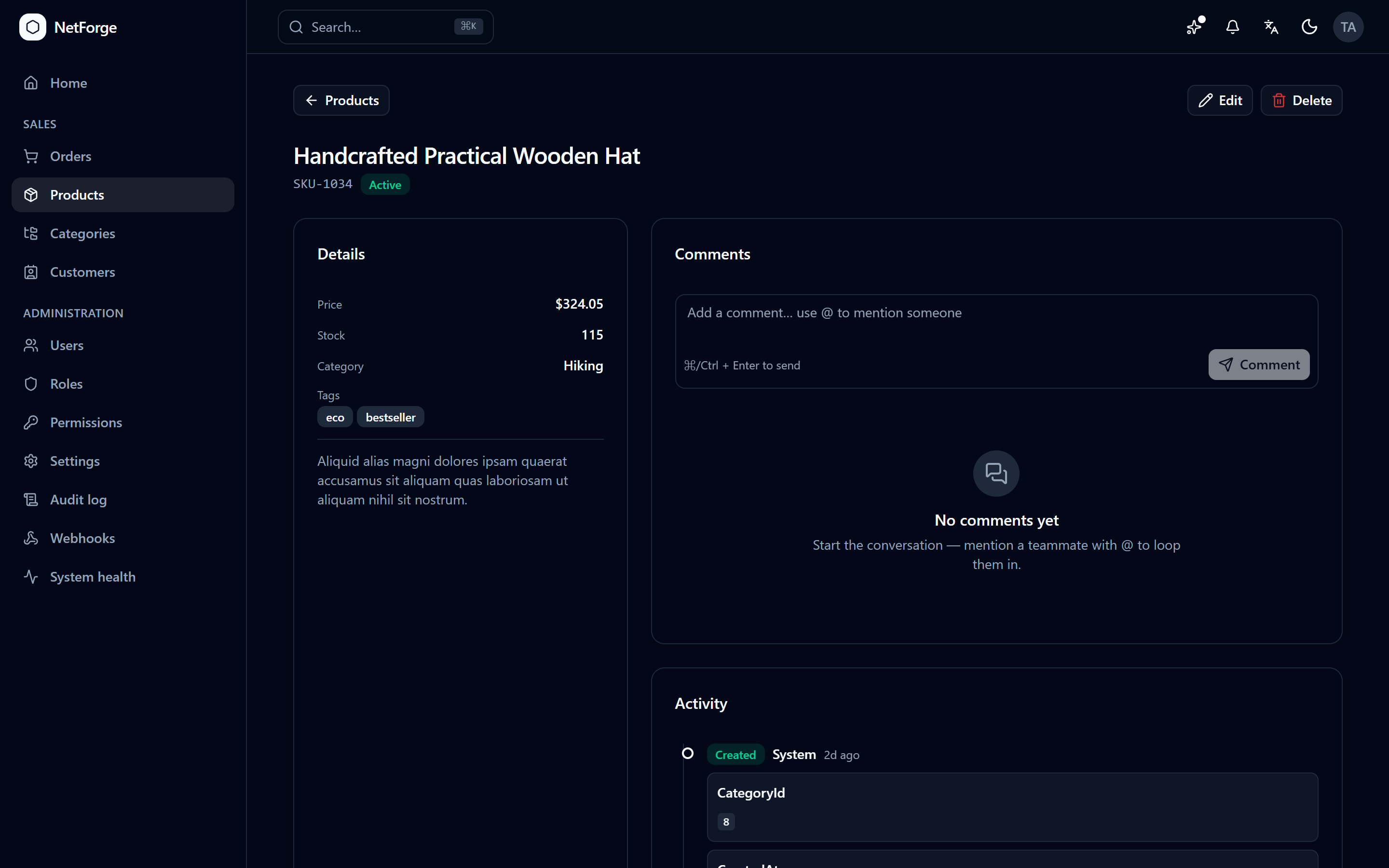
Every record has a history timeline at /audit/entity/{type}/{id}, deep-linked from the log's detail panel — a chronological feed of everything that happened to that one record. The same <AuditTimeline> component powers the activity feed on detail pages.
How it's captured
An EF Core interceptor records entity changes automatically — no per-handler wiring — and writes them to a channel drained by a background writer, so auditing never slows down a request. For non-entity events (a login, a file download, an admin action), call the audit service directly:
await _audit.LogAsync("Auth", "Login", "AppUser", user.Id);Read the trail back on any entity-detail page with <AuditTimeline entityType="Product" entityId={id} />.
Community edition
The audit trail and its UI are a Pro feature. See Editions.