
Authorization
A first-class permission system with a wildcard policy provider, administered entirely from the Administration area (/admin).
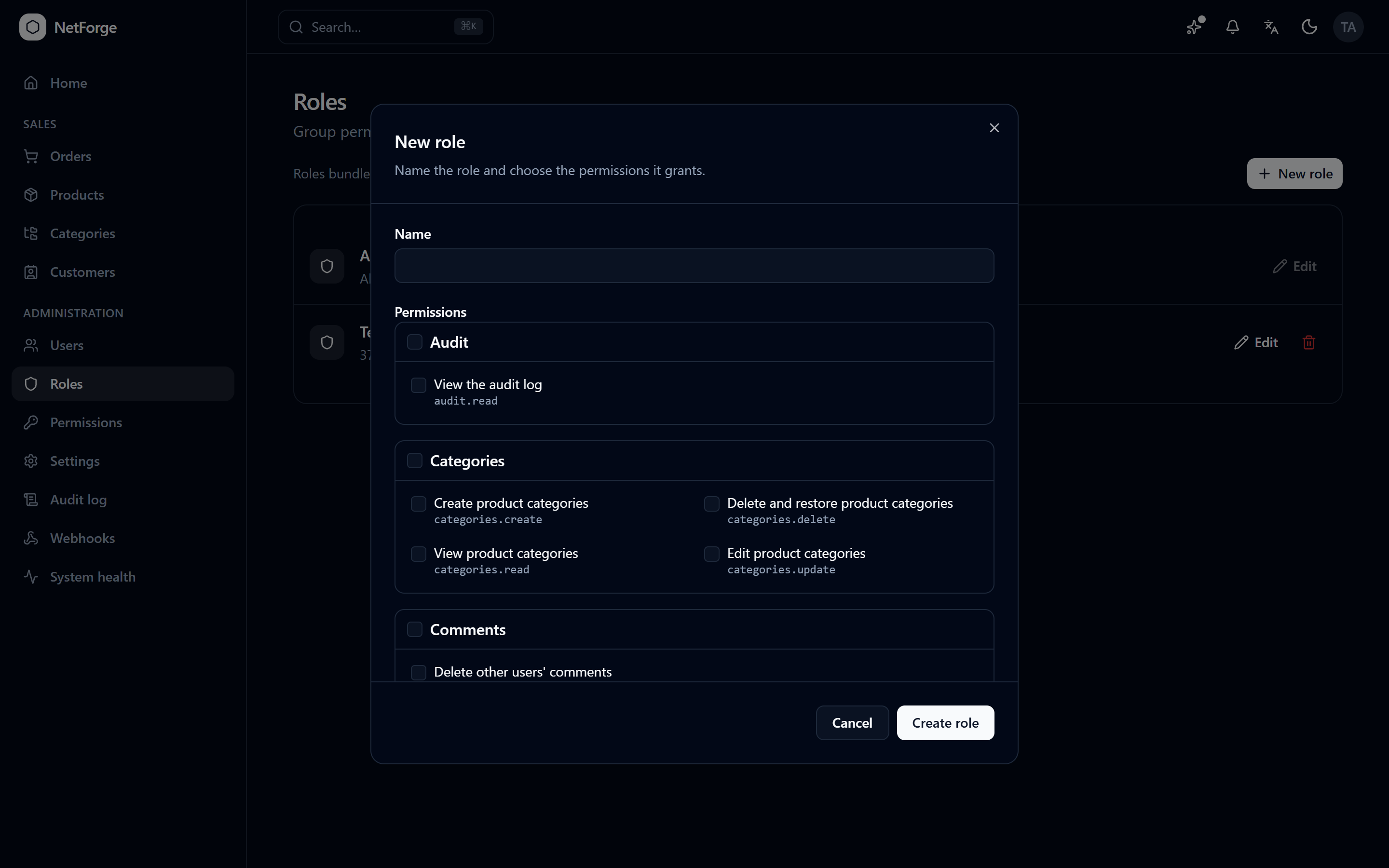
How it works
- Permissions are dotted strings (
users.read,roles.update) declared in code by each feature. - A catalog is auto-aggregated at startup from those declarations — no central registry to edit.
- Roles bundle permissions; users get roles; effective permissions are the union across a user's roles.
- Wildcards expand: a role granted
users.*covers everyusers.x, and*(the built-in Admin role) grants everything — including permissions added by features that don't exist yet. - Permissions ride in the auth cookie and refresh on the 1-minute validation interval, so changing a role updates its members within ~1 minute (or immediately on their next sign-in).
Administration UI
| Page | What you can do |
|---|---|
Users (/admin/users) | Search users; see roles and status; create users (invite-first); edit name/email; assign roles; mark a pending email verified or resend confirmation; send a password-reset link; disable a user's 2FA; view a user's audit timeline; lock/unlock; delete. |
Roles (/admin/roles) | Create/edit roles with a grouped permission picker (per-feature select-all); delete. The built-in Admin role is read-only. |
Permissions (/admin/permissions) | Browse the full catalog, grouped by feature, with descriptions. Read-only — generated from code. |
Safety rails
- The built-in Admin role can't be renamed or deleted.
- You can't lock, delete, or change the roles of your own account (no self-lockout).
- The UI only offers actions you're permitted to take — but the API enforces every check regardless. A hidden button is convenience, not a security boundary: unauthenticated calls get
401, authenticated-but-unauthorized calls get403.
Granting access
- Administration → Roles → New role, name it, tick the permissions (or a whole feature group), save.
- Administration → Users, find the user, Edit roles, assign the new role.
- They get the access on their next sign-in (or within ~1 minute).
Add your own permissions
Declare constants in your slice's Permissions.cs, gate endpoints with .RequirePermission("..."), and they appear in the catalog automatically. See Add a permission.