
Data tables (DataGrid)
Every list in the app is a DataGrid — a server-driven table that handles sorting, filtering, search, pagination, selection, and export, with the view state in the URL so any list is bookmarkable.
What you get for free
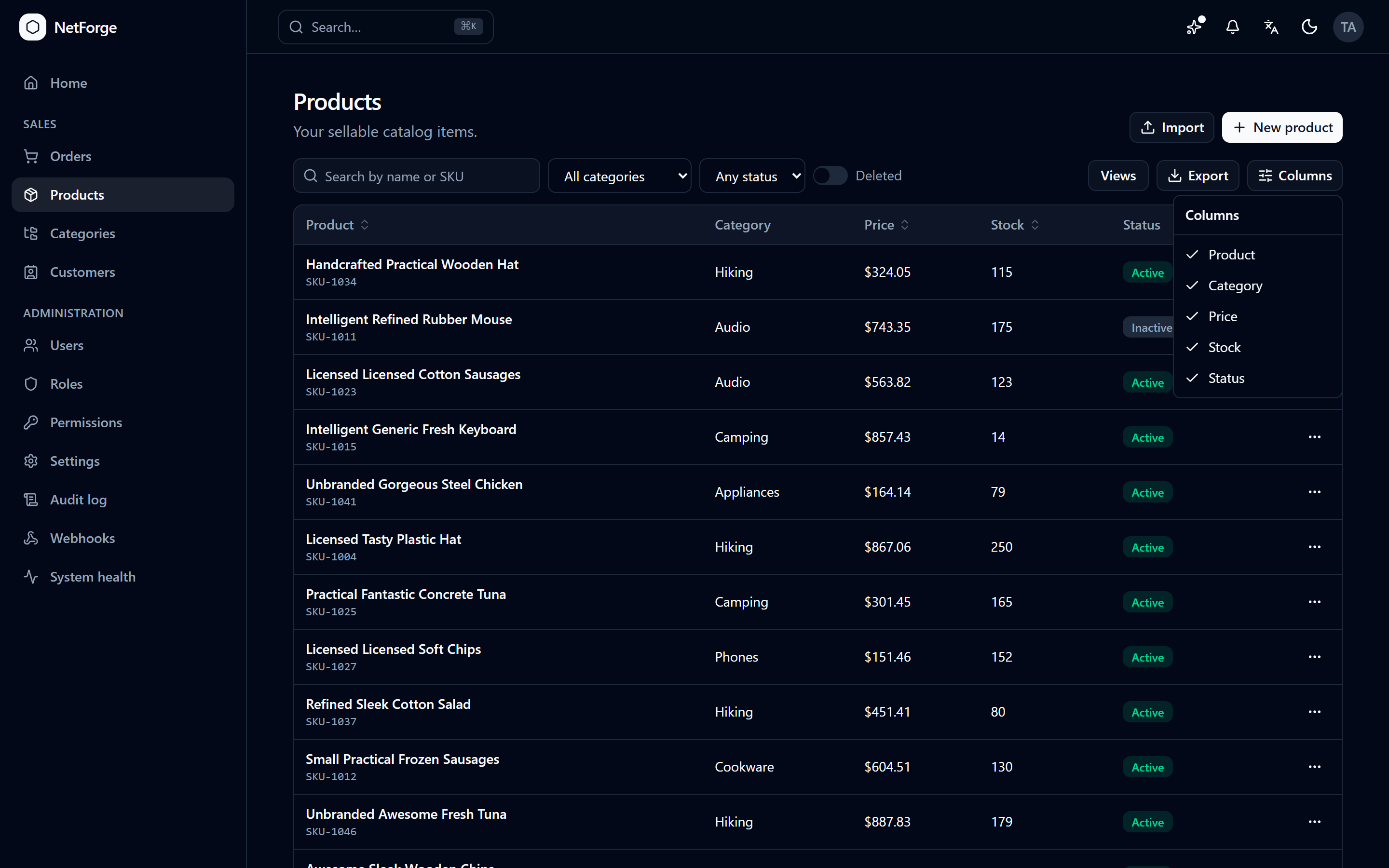
- Sortable columns, instant case-insensitive search, and per-column show/hide.
- Multi-select filters — pick several values at once with
<FacetFilter>(emits thein:operator). - Page-size + pagination, row selection with bulk actions, and saved views (your filter/sort combinations, remembered per device).
- URL-persisted state — page, sort, search, and filters live in the query string, so a list is shareable: copy the link and it reopens to exactly the same view.
- Export — download the current view (filters and sort included) as CSV, Excel, or PDF. See Export & import.
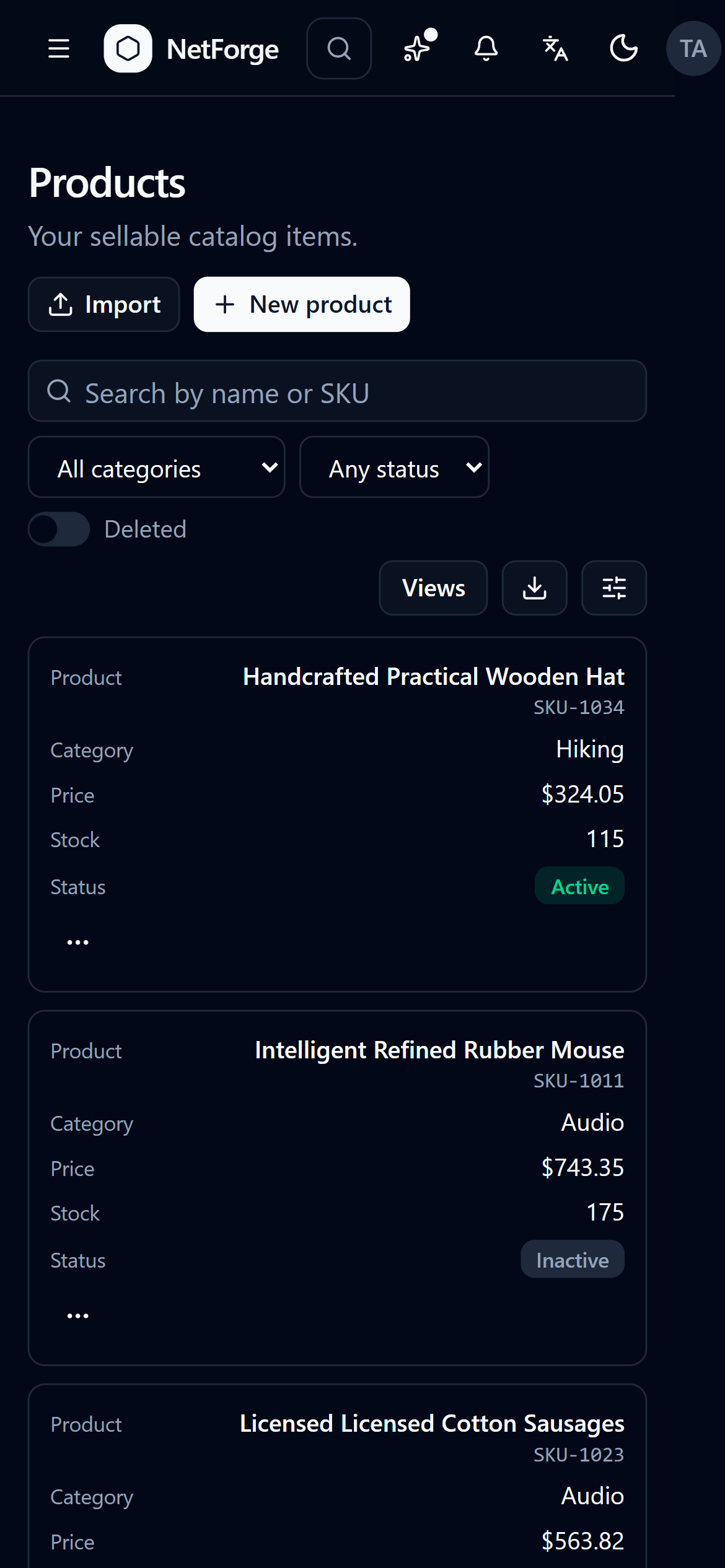
- Responsive — on a phone the table folds into cards; lists with a strong visual offer a Table ⇄ Cards toggle.
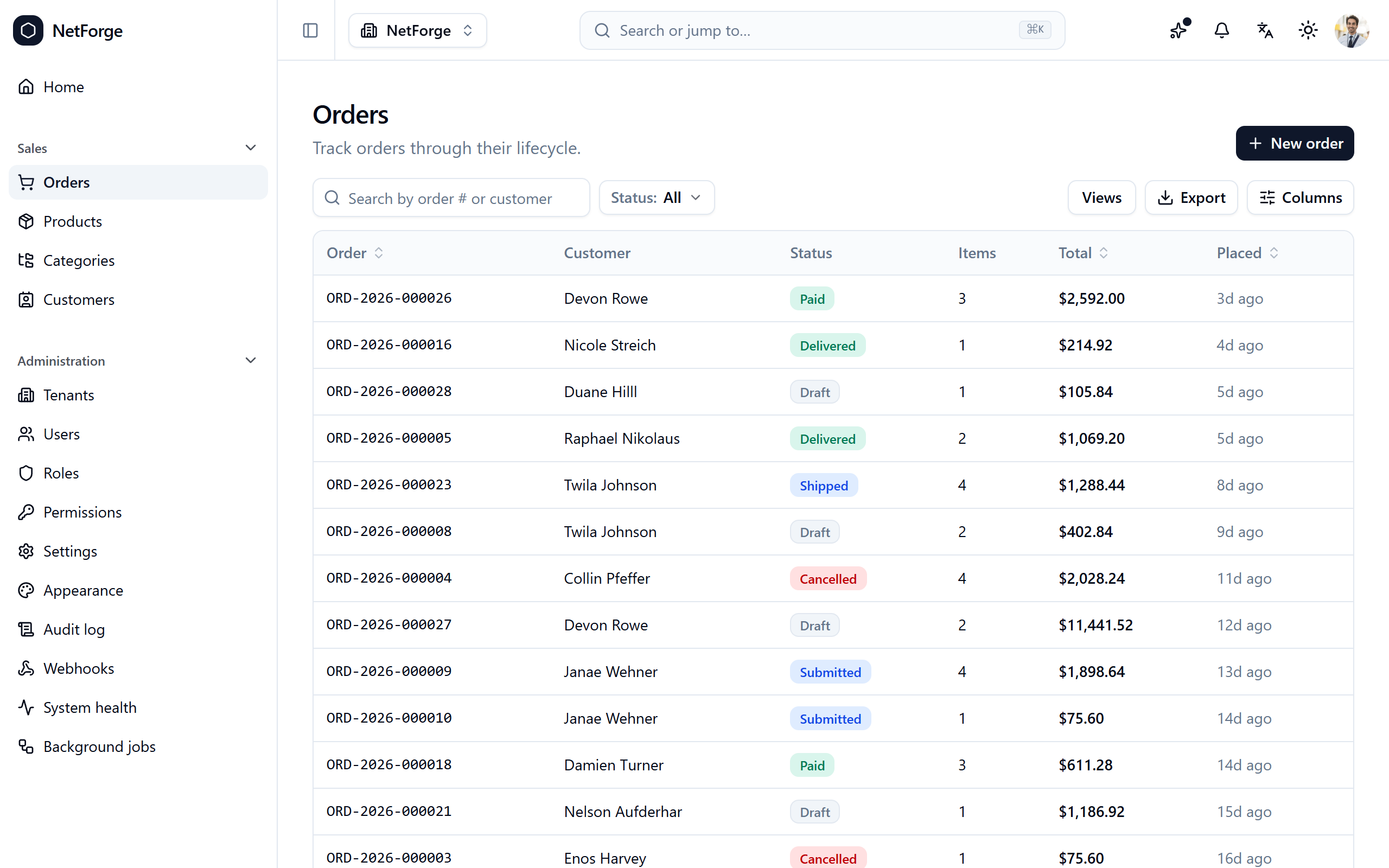
The same grid drives every list — here it's orders, with status filters and colour-coded status badges:
The query model
Lists are powered by PagedRequest / PagedResult<T> and an operator-suffix query syntax that reads naturally in a URL:
?price=gte:10&status=in:active,pending&sort=name:asc&page=2&pageSize=20Operators include eq, neq, gt/gte/lt/lte, in, contains, startswith, and endswith. The full grammar is in the Query syntax reference.
Building a list
On the backend, return a PagedResult<T> from a query spec; on the frontend:
const grid = useDataGrid<Product>({ endpoint: '/products' });
return <DataGrid grid={grid} columns={columns} />;
That's the whole list — paging, sort, filter, search, URL sync, and the loading/empty/error states are handled. The end-to-end walkthrough is Build a list.