
Going to production
NetForge ships the operational layer most starters leave to you — rate limiting, health checks, API versioning, and an installable PWA.
Rate limiting
Sign-in, registration, and password-reset endpoints are rate-limited per IP to blunt brute-force attempts. Exceeding the limit returns a clean ProblemDetails (RATE_LIMITED) with a Retry-After header. A generous global sliding window protects the rest of /api/*, and you can apply named policies to expensive endpoints. See Rate-limit or version a slice.
Health checks
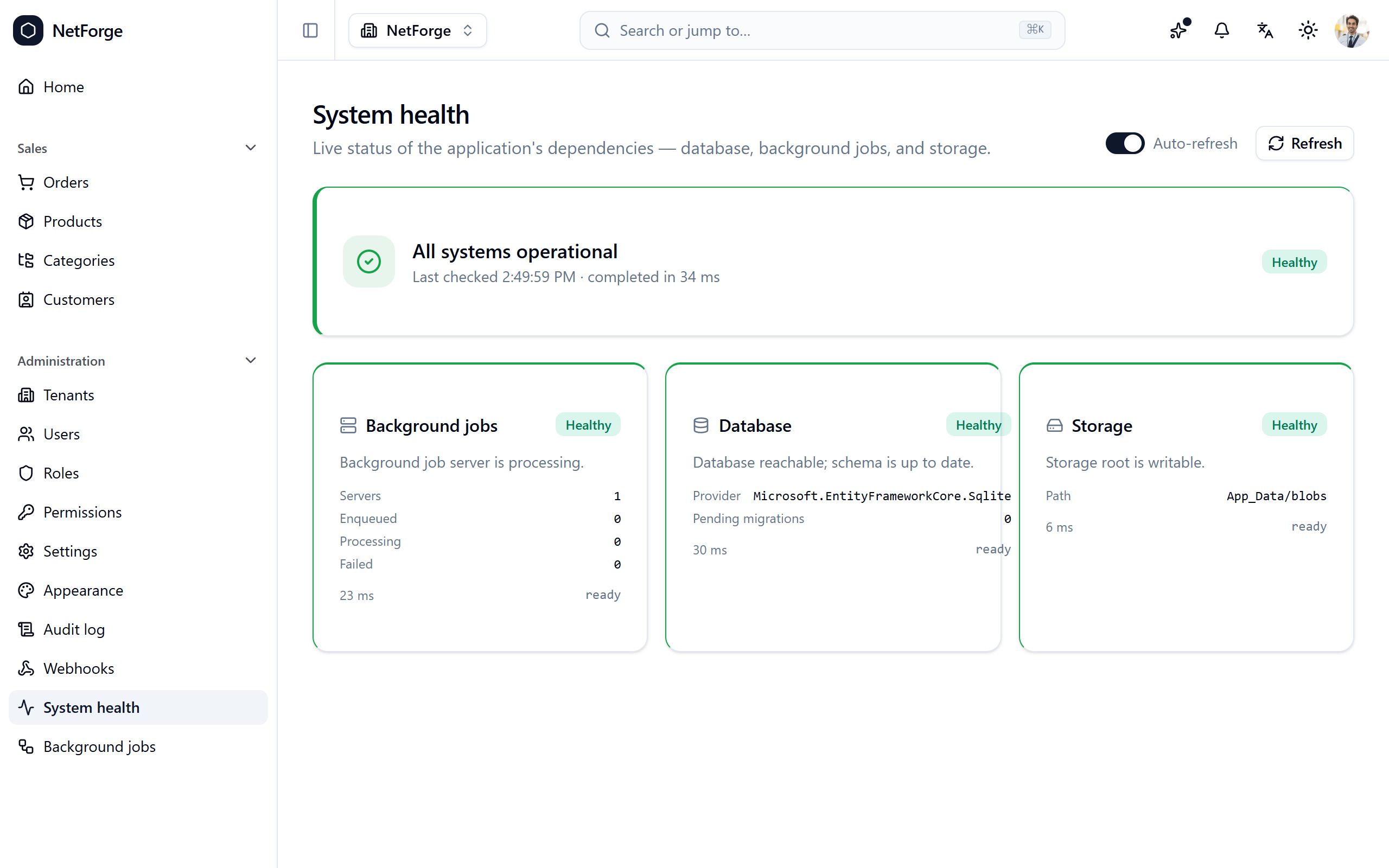
Three checks — database reachability + pending-migration count, the Hangfire job server, and blob-storage writability — feed:
/health/live— no-deps liveness, for orchestrators./health/ready— dependency readiness, for load balancers./admin/health— a permission-gated dashboard (health.read) with a status banner, per-check cards, and auto-refresh.
Register a new IHealthCheck and it surfaces in /health/ready and the dashboard automatically.
API versioning
API versioning is wired and ready (default v1.0, assumed when unspecified), so the existing surface keeps working and a slice can opt a group into a new version when you need it — without a breaking rename.
Install as an app (PWA)
On a supported browser, NetForge offers an Install banner; once installed it opens in its own window and the app shell loads even offline (API calls still need a connection). When a new version is deployed, a "new version — reload" toast appears.
Onboarding & changelog
- First-run tour — a short guided tour points out the navigation, the ⌘K palette, notifications, the theme toggle, and the account menu. Replay it anytime from the account menu.
- What's new — a ✨ button in the top bar shows a dot when there's a release you haven't seen and opens the
/changelogtimeline. On a phone it moves into the account menu, so the top bar stays uncrowded.
Editions
Rate limiting, health checks, and API versioning are in every edition. The PWA, tour, and changelog are Pro polish. See Editions.