
Settings
A registry-driven settings system: features declare their settings in code, and the admin UI renders itself.
How it works
Settings resolve through a User → Tenant → App cascade with cached resolution, so a value can have a system-wide default, a per-tenant override, and a per-user preference — and the most specific one wins.
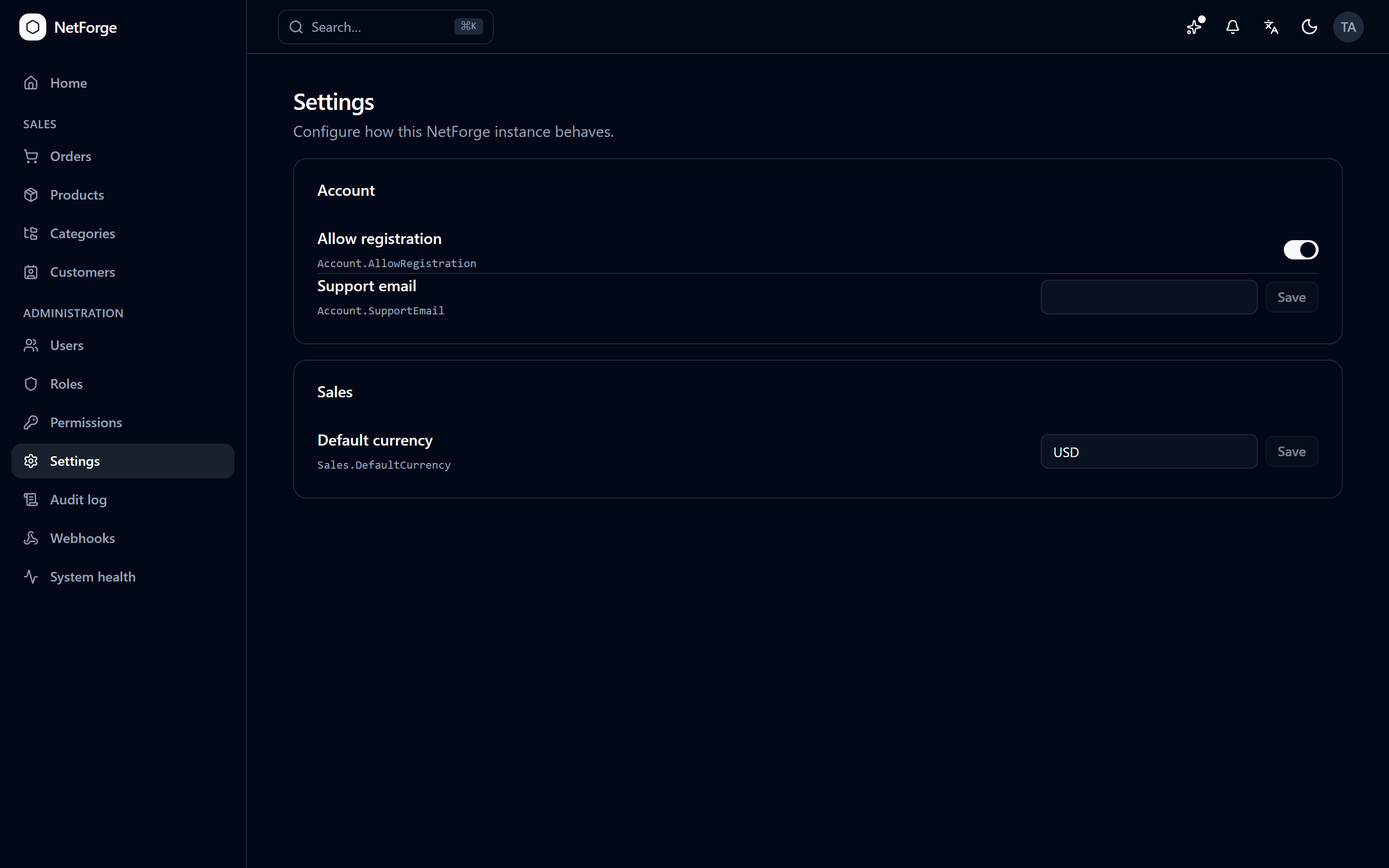
- App-scoped settings render as typed controls at
/admin/settings. - User-scoped settings appear as preferences on the profile (language, timezone, notification toggles).
- Tenant-scoped settings are keyed off the active tenant automatically (see Multi-tenancy).
Resolution is cached with tagged invalidation, so reads are cheap and a change takes effect immediately.
Reading and writing
Anywhere in a handler or service:
csharp
var theme = await _settings.GetAsync<string>("Appearance.Theme");
await _settings.SetAsync("Feature.Key", value, SettingScope.User);
Declaring a setting
Features register their settings via an ISettingsContributor, so the admin UI and profile re-render automatically — no central list to maintain:
csharp
SettingDefinitions.Register("Feature.Key", typeof(bool),
    scopes: [SettingScope.App], defaultValue: true, category: "Feature");
Choice settings can supply dynamic dropdown options (e.g. the list of roles) via an ISettingOptionsProvider. The full walkthrough is in Add a setting.